col-filter
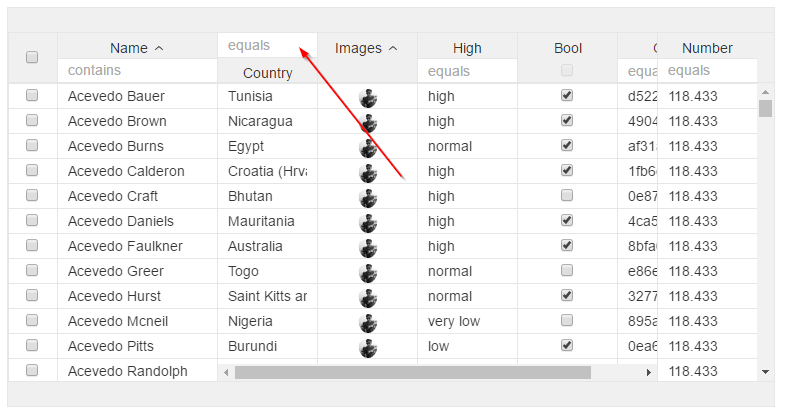
Adds filter to header, combine this with col-filter-top="true" if you dont want them under label
When using booleans you would need a valueConverter. Define it like this:
Simple with operator "equal to"
col-filter="field: name;">
Operator
col-filter="field: name; operator:*">
- '=': equal
- '<=': less than or equal to
- '>=': greater than or equal to
- '<': less than
- '>': greater than
- '*': contains
- '!=': not equal to
- '!*': does not contain
- '*=': begin with
- '=*': end with
Convert
col-filter="field: isReleased; converter: bool;">
The converter property of col-filter takes the name of a value converter. It will internally be trandformed to (in the above example) BoolValueConverter.
Trigger after on key down
col-filter="field: name; keydown:onKeyDown>
2 columns with same attribute to have between values
 <v-grid-col
    col-filter-menu="filter:index;filterkey:less"
    col-header-name="index"
    col-label-menu="sort:index"
    col-width="100"
    col-sort="field:index;asc:false"
    col-filter="field:index;operator:<;key:less"
    col-field="index | numberFormatter"
    col-pin-left="true">
  </v-grid-col>

  <v-grid-col
    col-filter-menu="filter:index;filterkey:greater"
    col-header-name="index"
    col-label-menu="sort:index"
    col-width="100"
    col-sort="field:index;asc:false"
    col-filter="field:index;operator:>;key:greater"
    col-field="index | numberFormatter"
    col-pin-left="true">
  </v-grid-col>
Notice the "key" in col-filter and "filterkey" in col-filter-menu
For doing query with kode you will also need to include the key if you want the values to be inserted in the input
this.ds.query([{attribute: 'index', operator: '>', value: 5, key:'greater' }, {attribute: 'index', operator: '<', value: 10, key:'less' }]);